Project Manager for Sublime Text

 <a href="https://packagecontrol.io/packages/ProjectManager"><img src="https://packagecontrol.herokuapp.com/downloads/ProjectManager.svg"></a>
<a href="https://www.paypal.me/randy3k/5usd" title="Donate to this project using Paypal"><img src="https://img.shields.io/badge/paypal-donate-blue.svg" /></a>
<a href="https://packagecontrol.io/packages/ProjectManager"><img src="https://packagecontrol.herokuapp.com/downloads/ProjectManager.svg"></a>
<a href="https://www.paypal.me/randy3k/5usd" title="Donate to this project using Paypal"><img src="https://img.shields.io/badge/paypal-donate-blue.svg" /></a>
Don't have any idea what *.sublime-project and *.sublime-workspace are doing? Forget where the project files are? Don't worry, Project Manager will help organizing the project files by putting them in a centralized location. (It is inspired by Atom's Project Manager, but Atom's Project Manager is inspired by the built-in Sublime Text Project Manager, so there is a circular reasoning here).
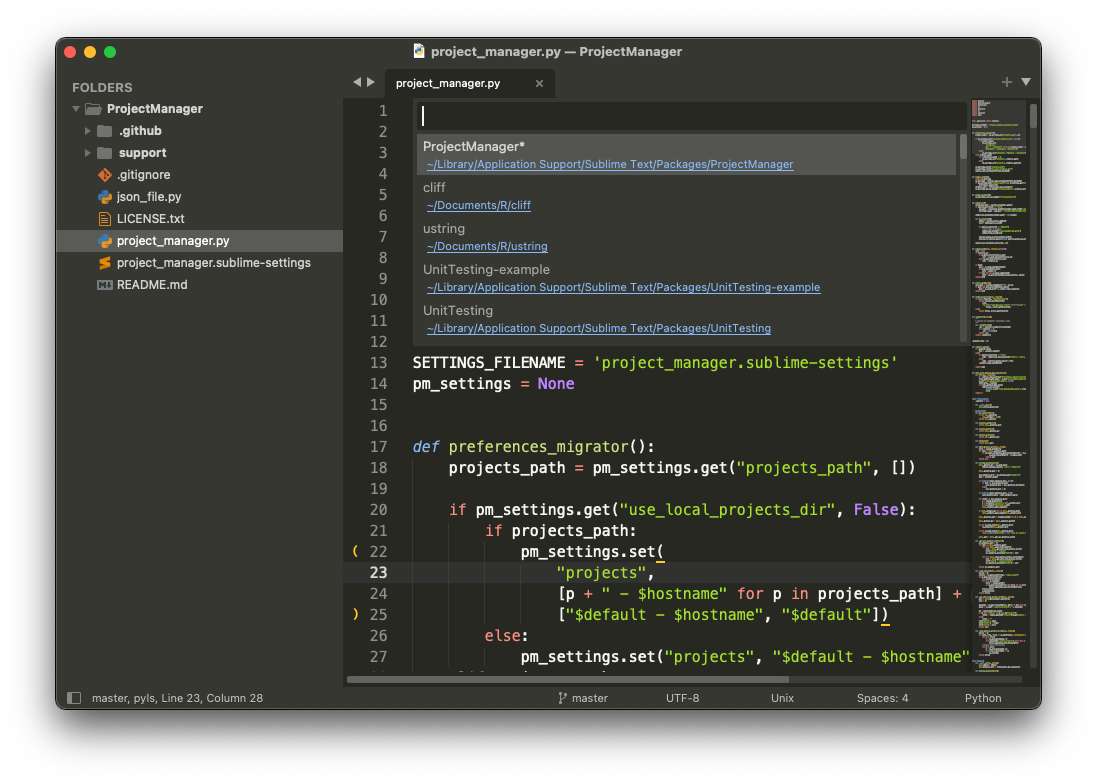
Check this video by Laracasts.
Installation
Using Package Control is not required, but recommended as it keeps your packages (with their dependencies) up-to-date!
Installation via Package Control
- Install Package Control
- Close and reopen Sublime Text after having installed Package Control.
- Open the Command Palette (
Tools > Command Palette).

